


Timed Assignments
Timed Assignments
Timed Assignments allow teachers to set how long students have to complete an assignment.
Setting a Time Limit
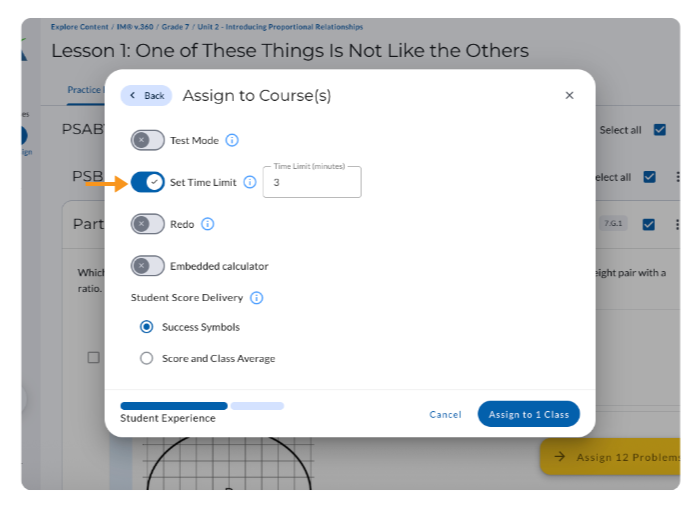
From Assign Time Options:
- Toggle on Set Time Limit.
- Enter the amount of time students will have to complete the assignment.
- Complete the remaining Assign Time Options and assign the assignment.
Student Experience
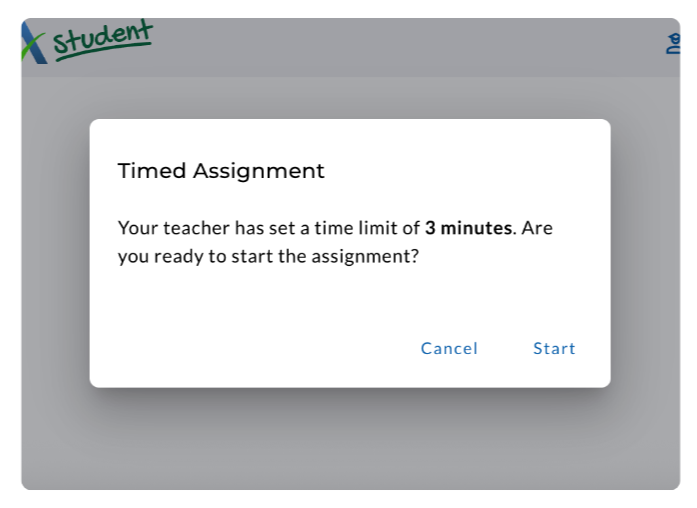
Before a student starts a timed assignment, a message appears letting them know that their teacher has set a time limit and asks if they are ready to begin.
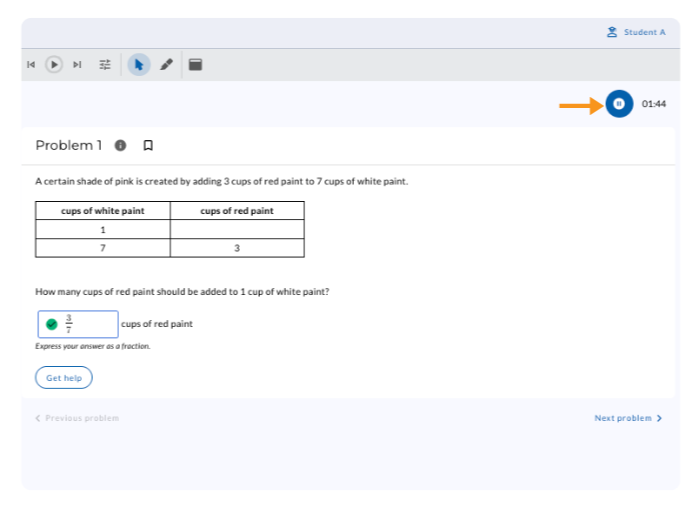
When students open a timed assignment, the timer appears in the upper-right corner of the screen.
Pausing a Timed Assignment
Students can select Pause on the timer to pause the assignment.
A message appears indicating that the assignment is paused and displays the time remaining.
When the student is ready to resume working, select Continue to unpause the assignment.
.gif)
When Time Expires
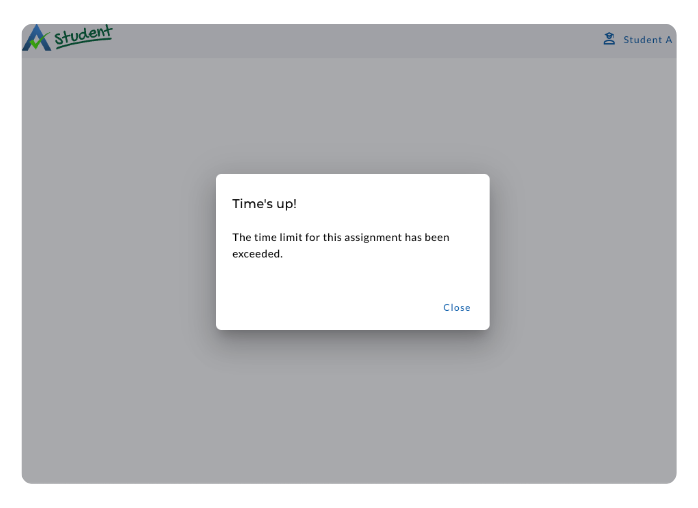
When the assigned time expires, the assignment automatically closes and the student can no longer continue working on problems. The student will receive a message letting them know that the time limit has been reached.
For students who do not complete the assignment within the assigned time, teachers can use Force Complete to complete the assignment for the student.
Learn more about Force Complete here.
Reviewing Time Spent
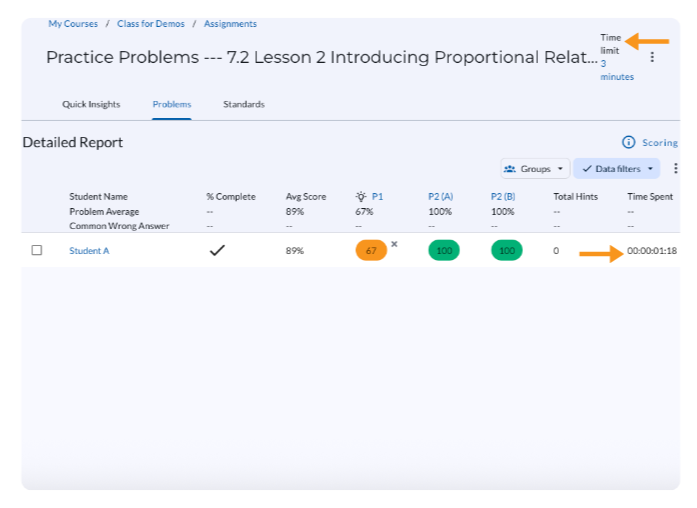
Teachers can review student time information in the Detailed Report of the Assignment Report.
The report displays the amount of time each student spent working on the assignment and the amount of time the assignment was paused.
Timed Assignments
Timed Assignments allow teachers to set how long students have to complete an assignment.
Setting a Time Limit
From Assign Time Options:
- Toggle on Set Time Limit.
- Enter the amount of time students will have to complete the assignment.
- Complete the remaining Assign Time Options and assign the assignment.
Student Experience
Before a student starts a timed assignment, a message appears letting them know that their teacher has set a time limit and asks if they are ready to begin.
When students open a timed assignment, the timer appears in the upper-right corner of the screen.
Pausing a Timed Assignment
Students can select Pause on the timer to pause the assignment.
A message appears indicating that the assignment is paused and displays the time remaining.
When the student is ready to resume working, select Continue to unpause the assignment.
When Time Expires
When the assigned time expires, the assignment automatically closes and the student can no longer continue working on problems. The student will receive a message letting them know that the time limit has been reached.
For students who do not complete the assignment within the assigned time, teachers can use Force Complete to complete the assignment for the student.
Learn more about Force Complete here.
Reviewing Time Spent
Teachers can review student time information in the Detailed Report of the Assignment Report.
The report displays the amount of time each student spent working on the assignment and the amount of time the assignment was paused.
Didn't Find What You Were Looking For?
.avif)
Charitable Number: 83-4228740


