
ASSISTments 3.10: New Tools to Turn Student Data Into Action
.svg)

.svg)
.svg)
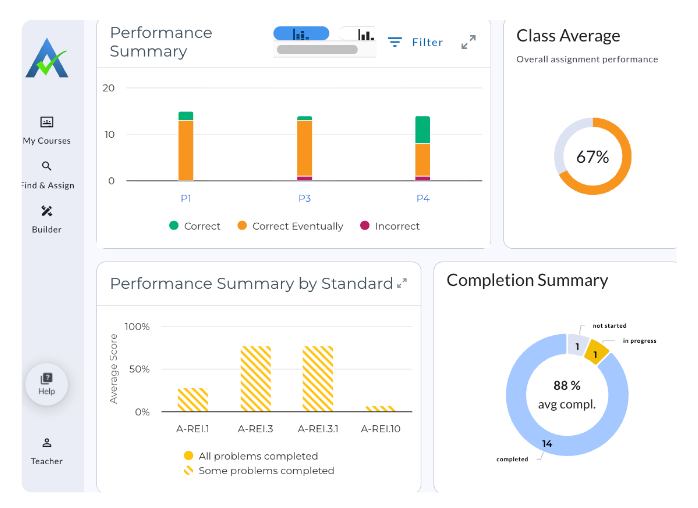
With the 3.10 release, we’re introducing new ways for teachers to understand student performance and take action whether you’re using the free version of ASSISTments or ASSISTments Plus.
From a fresh new look at assignment data to AI-powered analysis and differentiated practice, these updates are designed to help you spend less time sorting through results and more time supporting students.
Let’s take a look at what’s new.
Quick Insights
Available to all ASSISTments users
You already have a lot of data about how your students performed. Now, it’s easier to make sense of it.
Quick Insights gives assignment reports a fresh new look, organizing student results into five at-a-glance insights about class and individual performance.
You can quickly see:
- How students completed the assignment
- How the class performed across standards
- Assignment performance summaries and averages
- Which students may benefit from similar follow-up support
- NEW: Automatically recommended student groups based on assignment scores
Instead of spending time combing through 25 individual student results to figure out what happened, Quick Insights helps surface meaningful patterns right away.
Use Quick Insights after an assignment to quickly understand class-wide trends and decide what to look at next.
Bulk Assignment Actions
Available to all ASSISTments users
Managing assignments just got easier.
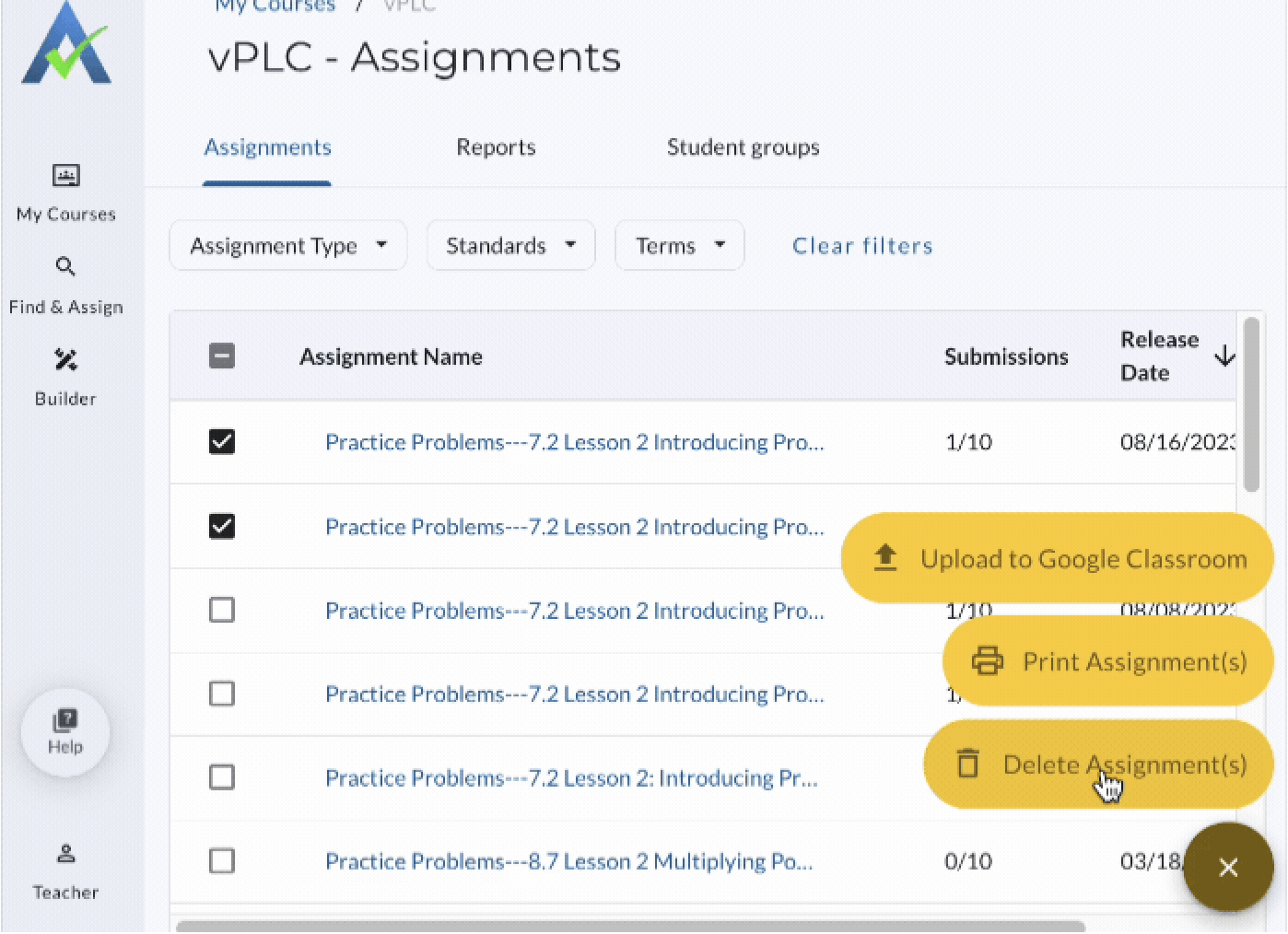
When you select one or more assignments from the Assignment List in a course, you’ll now see a new Assignment Actions button. From there, you can complete common tasks in bulk:
Upload to your LMS
Push grades for multiple assignments at once.
Print assignments
Print multiple assignments in one action, with page breaks separating each assignment.
Delete assignments
Remove multiple assignments at once, with a confirmation step before anything is deleted.
Whether you’re cleaning up your assignment list, preparing materials, or sending grades to your LMS, these new bulk actions help cut down on repetitive clicks.
Give Bulk Assignment Actions a try →
New for ASSISTments Plus
IM® Companion Assignments
Available for Grades 6–8 with ASSISTments Plus
Sometimes students need more practice with a lesson’s target skill. Now, ASSISTments Plus makes it easier to provide that practice without having to build it yourself.
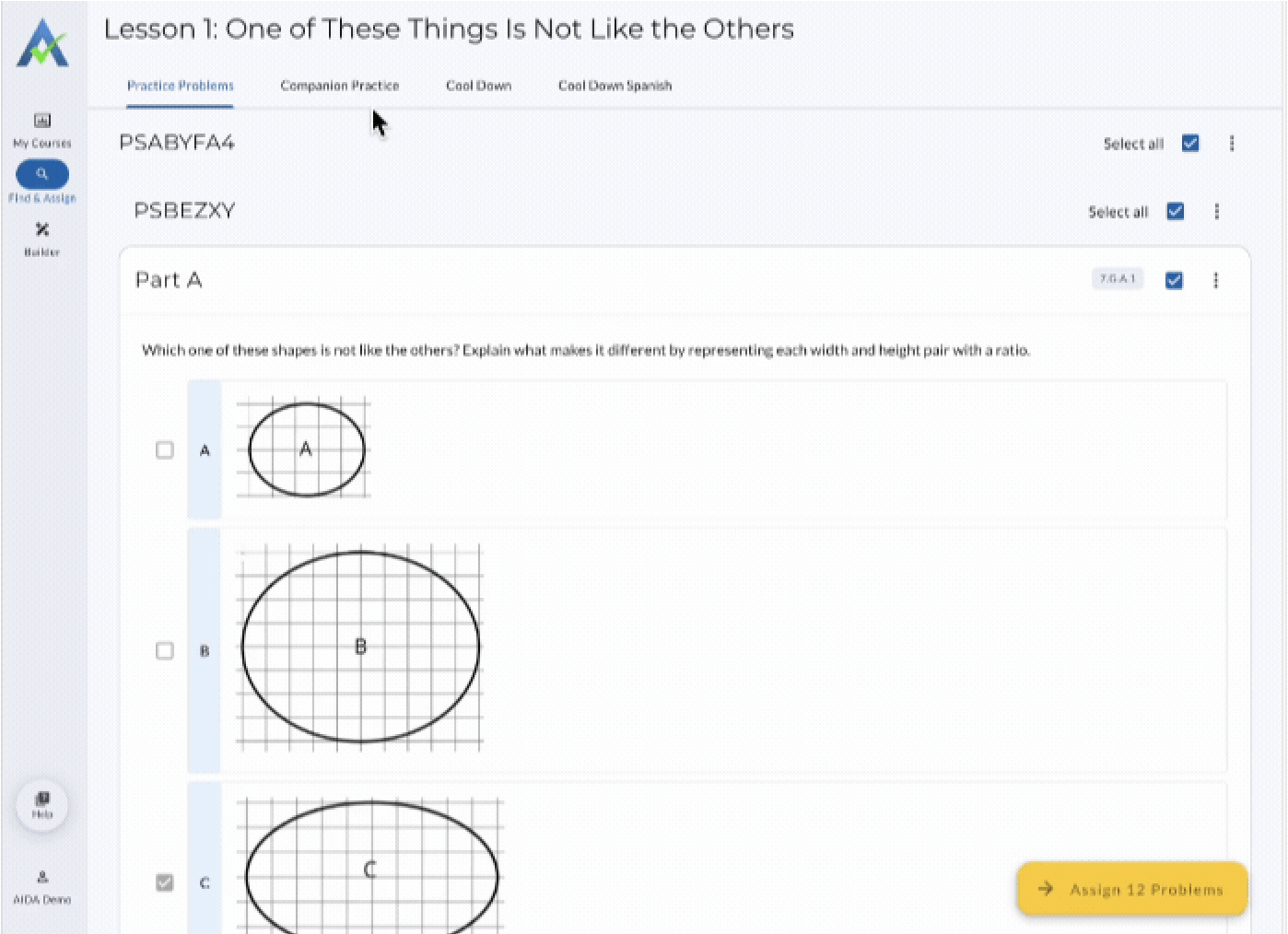
IM Companion Assignments are practice assignments aligned to individual Illustrative Mathematics lessons.
Each Companion Assignment is designed to provide:
- Practice aligned to the lesson’s target skill
- Additional practice around common student struggles
- IM-aligned representations, strategies, and vocabulary
- Instructionally aligned hints
- Automatic scoring
Use Companion Assignments when your whole class could benefit from additional practice on the skills they’re learning or when you want an easy way to reinforce an IM lesson with more aligned, auto-scored practice.
Learn how to use IM Companion Assignments →
Quick Insights Plus
Available with ASSISTments Plus
Quick Insights helps you see the big picture. Quick Insights Plus helps you figure out where to look closer.
.png)
With Assignment Analysis powered by AI, Quick Insights Plus includes everything in Quick Insights plus additional summary data including:
- Key performance trends
- Potential learning gaps
- Students who may need a closer look
- Patterns that warrant further attention
Instead of reviewing every piece of assignment data yourself, AI-powered analysis helps focus your attention on the areas that may matter most.
Learn how to use Quick Insights Plus →
Targeted Follow Up Assignments
Available with ASSISTments Plus
When students miss a problem, the next step isn’t always the same for everyone.
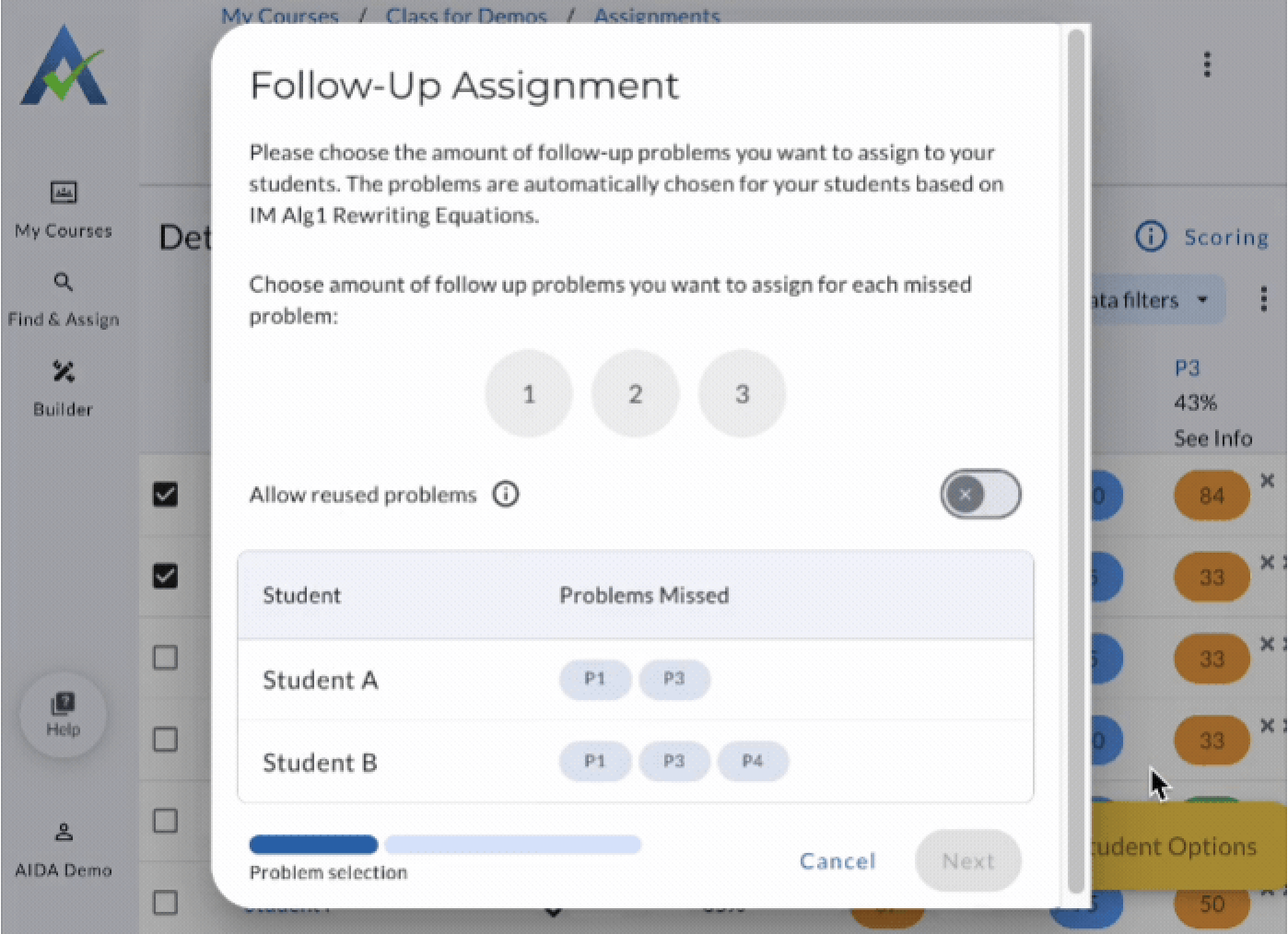
Targeted Assignments make it easier to provide differentiated follow up practice based on each student’s performance.
From an assignment report, you can select the students who need additional practice and choose 1, 2, or 3 follow up problems for the auto-scored problems they missed.
ASSISTments then builds the practice for you.
Here’s how it works:
You identify the need → ASSISTments builds the practice → Each student gets differentiated practice → The skill and standard stay aligned.
Follow-up problems aren’t simply repeats of the original question. Each student receives new problems designed to target the same underlying math skill and standard.
That means students can get the additional practice they need without requiring you to manually search for problems, create different assignments, or assemble individual practice sets.
You decide who needs more practice and how much and ASSISTments can do the rest.
Learn how to use Targeted Assignments →
Ready to See What’s New?
Whether you’re looking to get a better understanding of assignment results, a simpler way to manage assignments, or new tools for differentiated practice, ASSISTments 3.10 gives you more ways to turn everyday math data into your next instructional move.
Interested in giving ASSISTments Plus a try?
Visit https://www.assistments.org/assistments-plus to learn more.
Share on socials!


.webp)
.webp)
.avif)
.avif)


