


Updating Your Teacher Preferences
Teacher Preferences
Once you have your ASSISTments Verified Teacher account, you will want to update your teacher Preferences. To update your teacher Preferences, start by logging into ASSISTments and clicking your name in the bottom left corner of the screen.
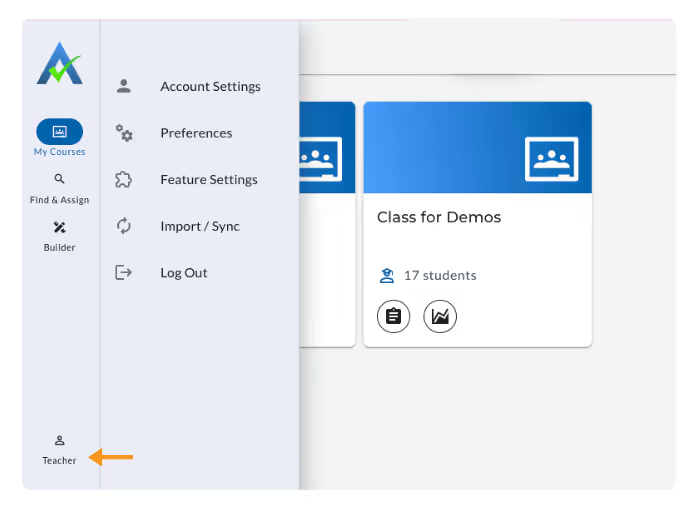
Then, select one of the following:
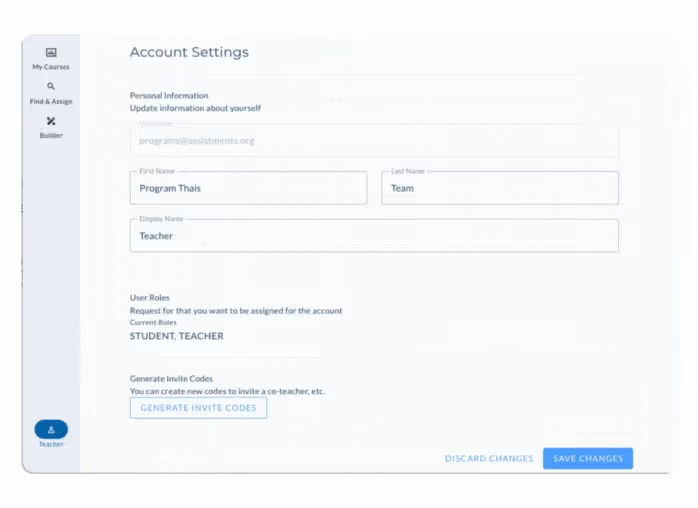
- Account Settings: Update your personal information, such as your name and how it appears to students.
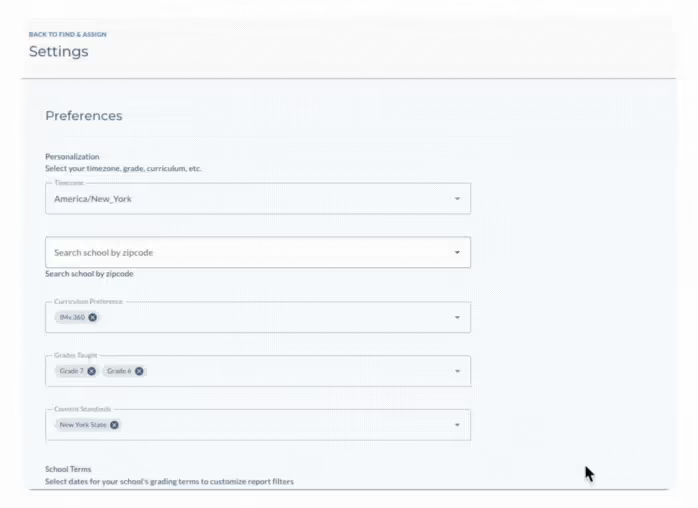
- Preferences: update time zone, school zip code, curriculum, grade preferences, state standards, and school terms.
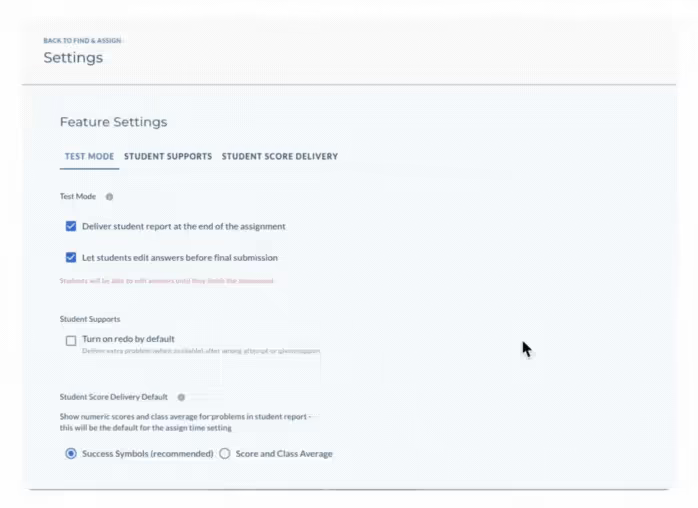
- Feature Settings: set defaults for Test Mode, Student Supports, and Student Score Delivery.
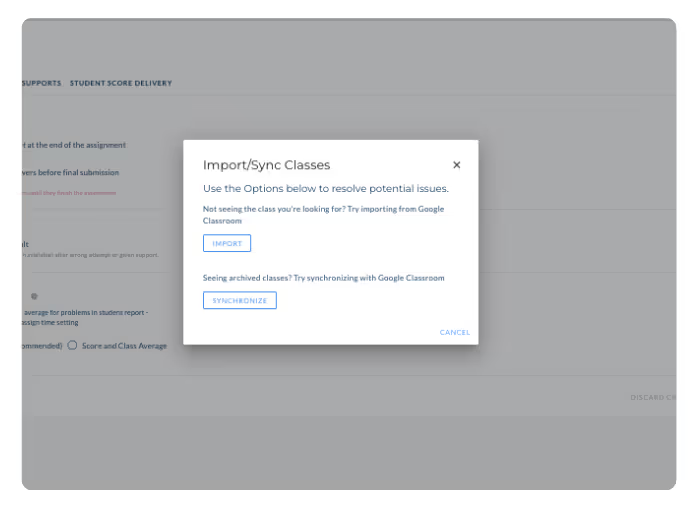
- Import/Sync: import or synchronize your classes with your LMS.
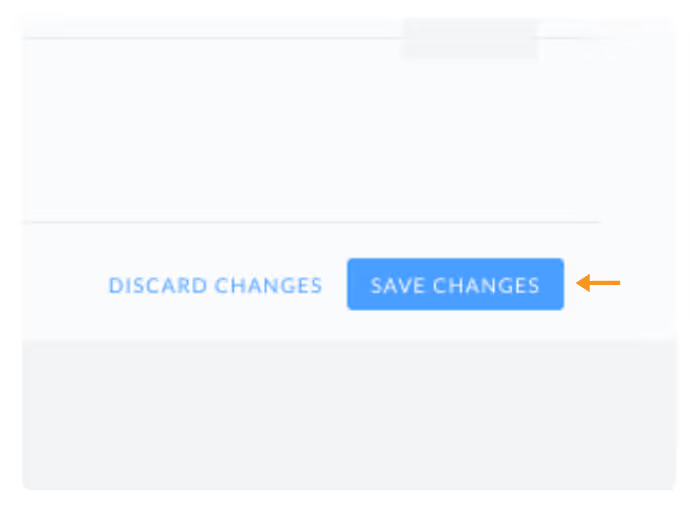
Once you have updated the preferences above, click ‘Save Changes’ in the bottom right corner to save your preferences.
Teacher Preferences
Once you have your ASSISTments Verified Teacher account, you will want to update your teacher Preferences. To update your teacher Preferences, start by logging into ASSISTments and clicking your name in the bottom left corner of the screen.
Then, select one of the following:
- Account Settings: Update your personal information, such as your name and how it appears to students.
- Preferences: update time zone, school zip code, curriculum, grade preferences, state standards, and school terms.
- Feature Settings: set defaults for Test Mode, Student Supports, and Student Score Delivery.
- Import/Sync: import or synchronize your classes with your LMS.
Once you have updated the preferences above, click ‘Save Changes’ in the bottom right corner to save your preferences.
Didn't Find What You Were Looking For?
.avif)
Charitable Number: 83-4228740


