


Pause Assignments
Pause Assignments
With Pause Assignments, teachers have the ability to temporarily prevent all students from continuing work on a released assignment to reteach instruction and resume access later.
Watch the Pause Assignments video for a quick walkthrough, or follow the steps below to get started.
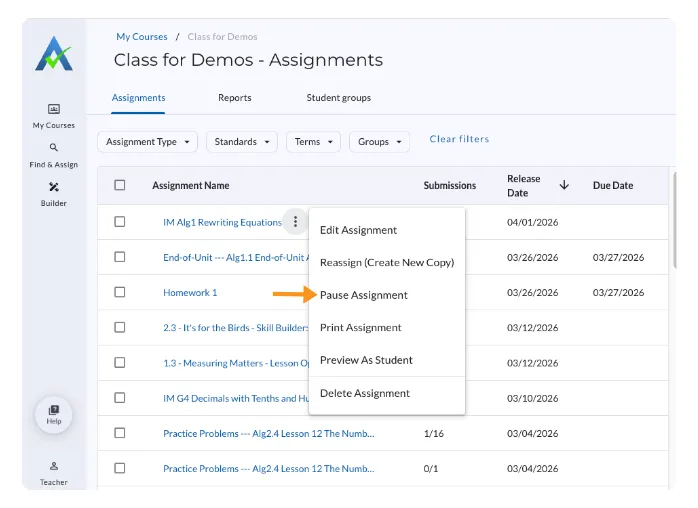
- Go to the Assignments tab under My Courses and locate the assignment you’d like to pause.
- Select the triple dots (⫶)
- Select Pause Assignment
Next Steps for Students after Pause Assignments
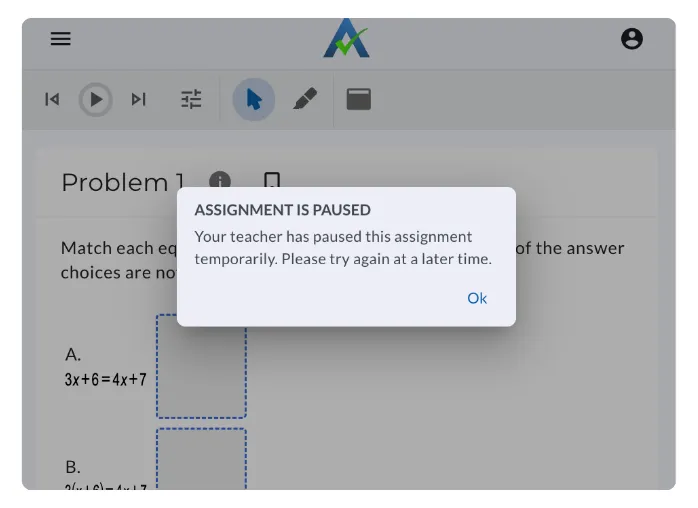
If a student has the assignment open when paused, a message will appear, notifying the student that the assignment has been paused. Once the assignment has been resumed by the teacher, students can continue working on the assignment.
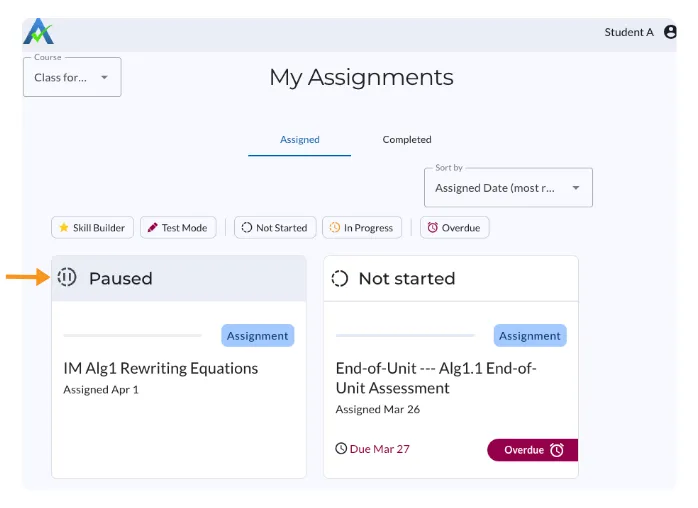
- The paused assignment will appear in the Assigned tab and labeled as Paused on the Student Homepage.
How to Resume an Assignment
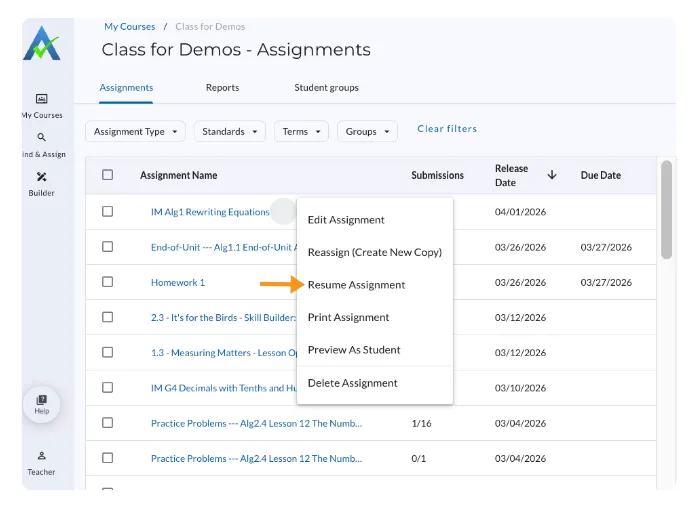
- Go to the Assignments tab under My Courses and locate the assignment you’d like to resume.
- Select the triple dots (⫶)
- Select Resume Assignment
Next Steps for Students after Resume Assignment
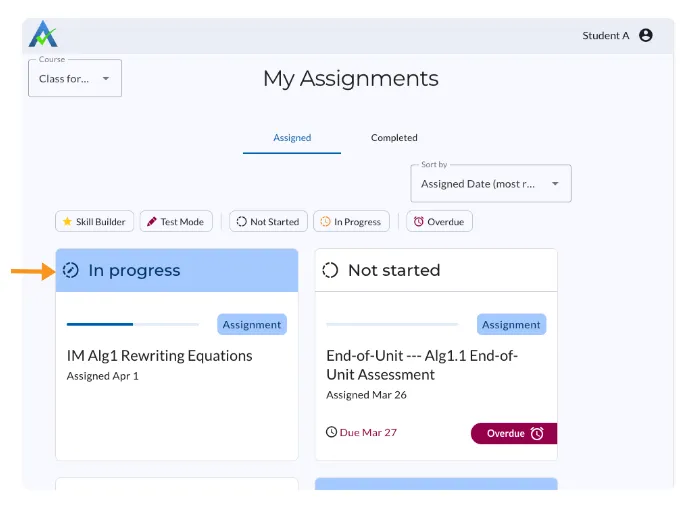
Once the teacher selects Resume Assignment, the assignment will open for students and appear as In Progress on the Assigned tab of the Student Homepage.
Pause Assignments
With Pause Assignments, teachers have the ability to temporarily prevent all students from continuing work on a released assignment to reteach instruction and resume access later.
Watch the Pause Assignments video for a quick walkthrough, or follow the steps below to get started.
- Go to the Assignments tab under My Courses and locate the assignment you’d like to pause.
- Select the triple dots (⫶)
- Select Pause Assignment
Next Steps for Students after Pause Assignments
If a student has the assignment open when paused, a message will appear, notifying the student that the assignment has been paused. Once the assignment has been resumed by the teacher, students can continue working on the assignment.
- The paused assignment will appear in the Assigned tab and labeled as Paused on the Student Homepage.
How to Resume an Assignment
- Go to the Assignments tab under My Courses and locate the assignment you’d like to resume.
- Select the triple dots (⫶)
- Select Resume Assignment
Next Steps for Students after Resume Assignment
Once the teacher selects Resume Assignment, the assignment will open for students and appear as In Progress on the Assigned tab of the Student Homepage.
Didn't Find What You Were Looking For?
.avif)
Charitable Number: 83-4228740


