


Create an Assignment
Create an Assignment
Create your first assignment in ASSISTments by watching the video or following the steps below.
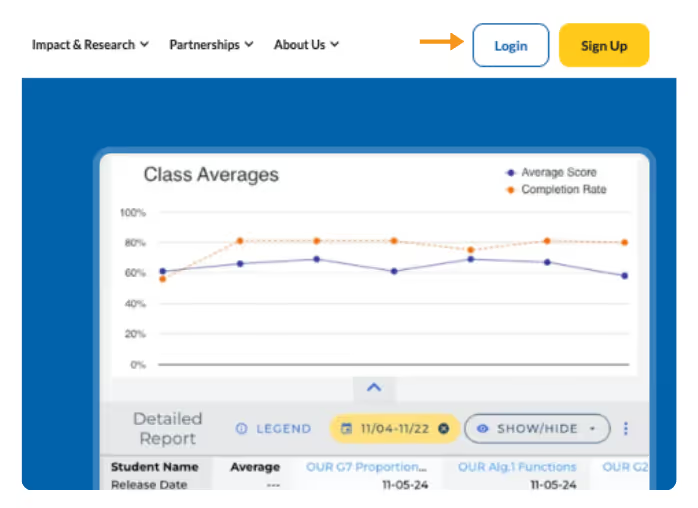
- Go to ASSISTments.org and click “Log In” on the top right side of your screen. Then log in with your ASSISTments account credentials.
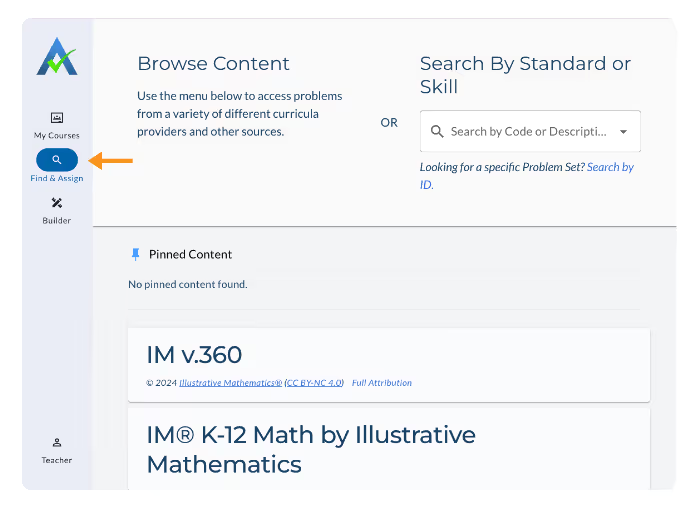
- Make sure you are on the “Find and Assign” tab on the left side of your screen.
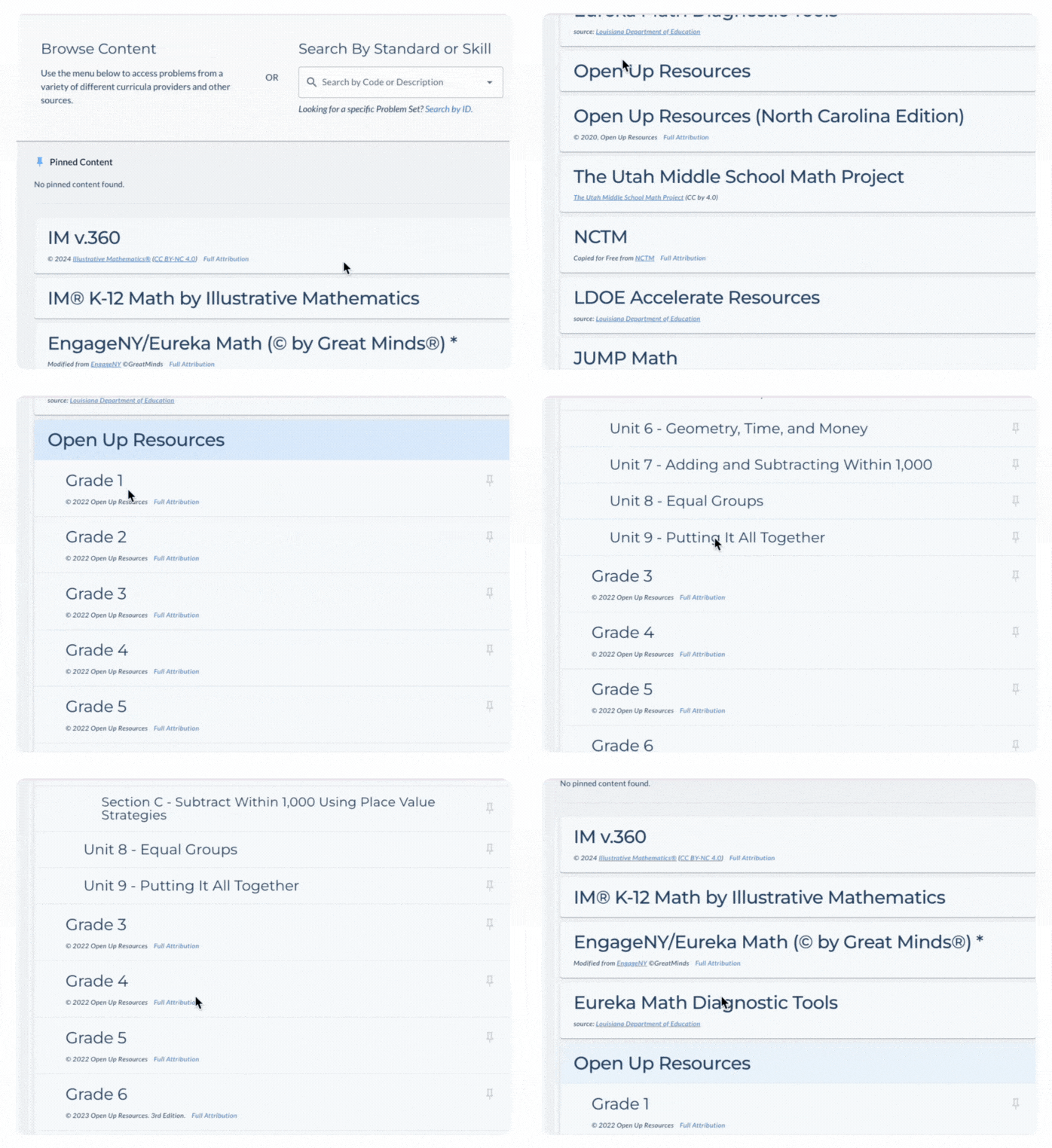
- To Search by Curriculum, navigate the folders in the Content Library to find the problems you want to assign.
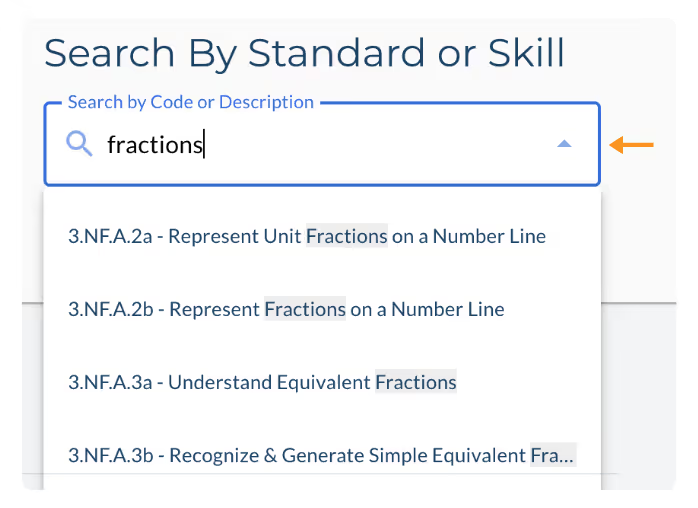
- To Search By Standard, type in a common core standard or a keyword into the “Search By Standard” box. A dropdown will automatically populate. Select the standard you’d like to search.
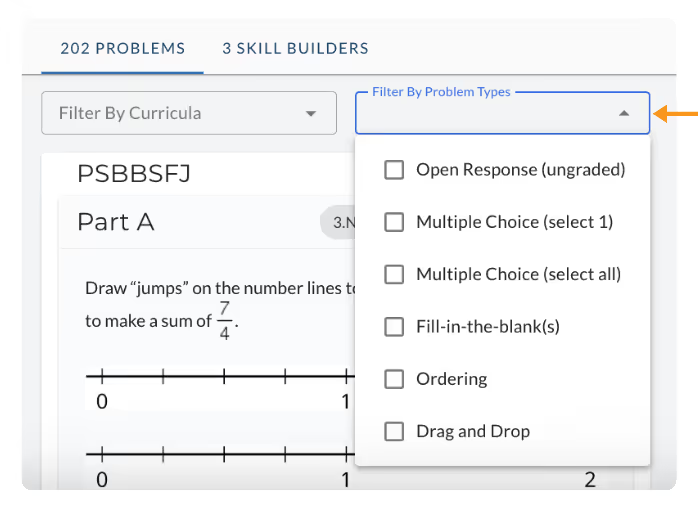
- View the results of your search. The problems that appear are those within our content that align to that standard. You can also filter the search results by Curriculum and/or Item Type.
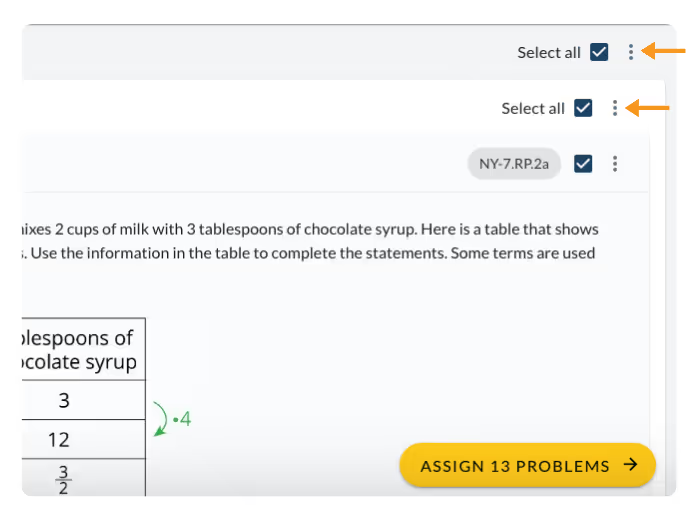
- Select the problems you want to assign by clicking the checkboxes in the upper right-hand corner of each problem, or choosing to “select all” to select all parts of a problem or select all problems in a problem set.
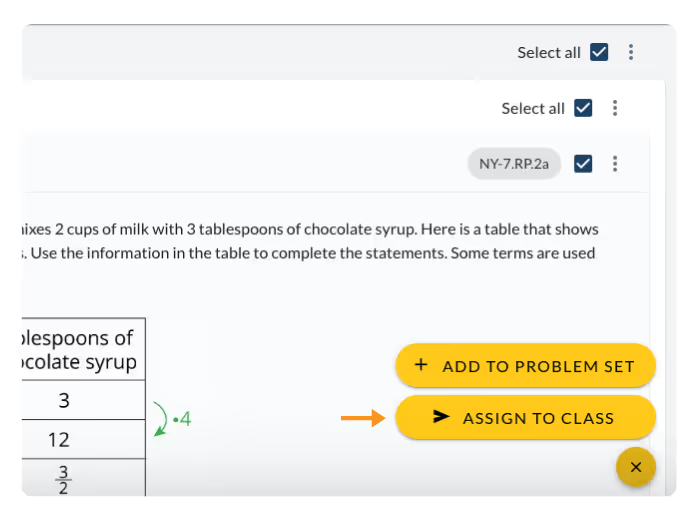
- If you are ready to assign, click on the “Assign Problems” button at the bottom right corner of your screen. Once you click on the “Assign Problems” button, you will see two options. Select the “Assign to Class” option.
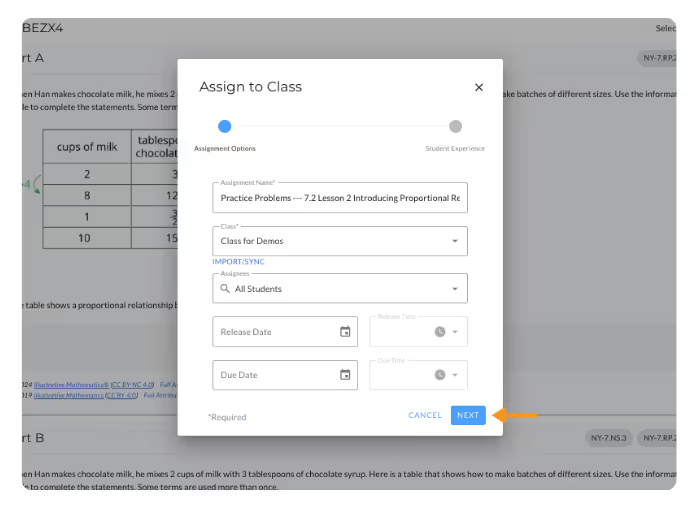
- Choose to edit the Assignment Name, select classes to assign, assignees, and a release or due date. Then click “Next” to choose the appropriate Student Experience Options.
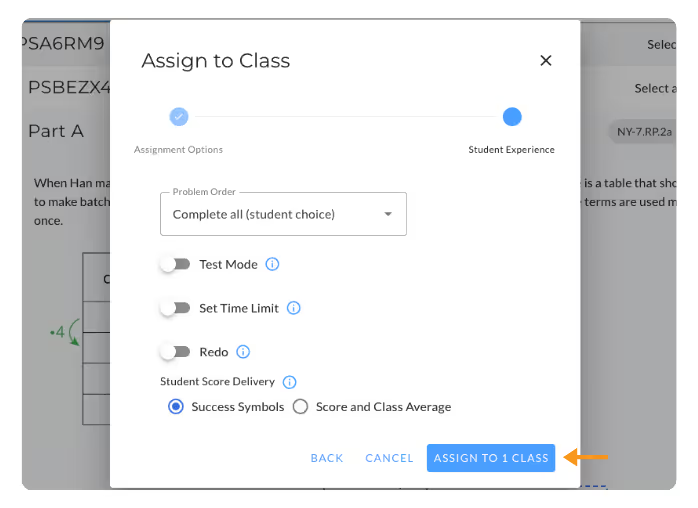
Note: You are required to choose a class to assign to and whether you want students to receive Success Symbols or Score and Class Average on their Student Report before being able to proceed but the rest of the options are optional. Learn more about Setting Assign Time Options.
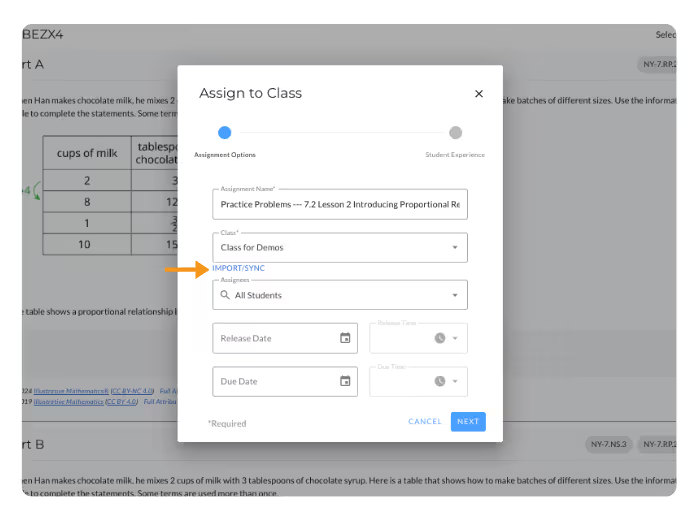
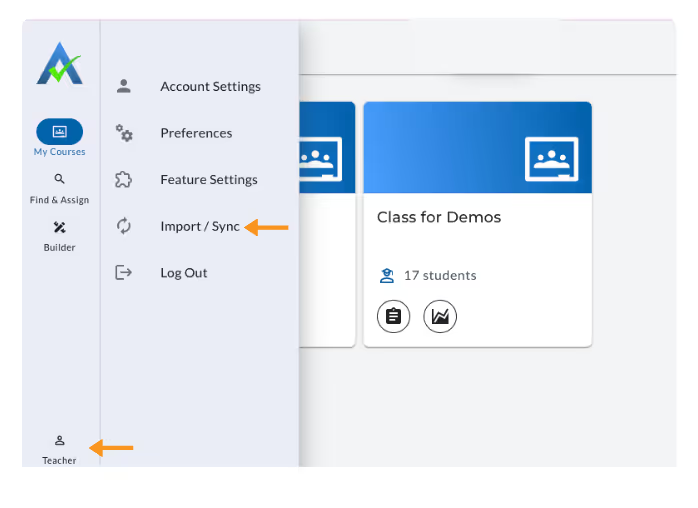
* Note: The first time you assign, you will need to import your classes into ASSISTments. In the Assignment Options, select Import/Sync and then “Import.” Select the class or classes you wish to import, and then select Import Classes. You can also import classes by clicking your name in the top right corner of the screen and selecting “Import/Sync”
- If you prefer to save the problem set and assign later, see our User Guide on Saving to My Problem Sets.
Create an Assignment
Create your first assignment in ASSISTments by watching the video or following the steps below.
- Go to ASSISTments.org and click “Log In” on the top right side of your screen. Then log in with your ASSISTments account credentials.
- Make sure you are on the “Find and Assign” tab on the left side of your screen.
- To Search by Curriculum, navigate the folders in the Content Library to find the problems you want to assign.
- To Search By Standard, type in a common core standard or a keyword into the “Search By Standard” box. A dropdown will automatically populate. Select the standard you’d like to search.
- View the results of your search. The problems that appear are those within our content that align to that standard. You can also filter the search results by Curriculum and/or Item Type.
- Select the problems you want to assign by clicking the checkboxes in the upper right-hand corner of each problem, or choosing to “select all” to select all parts of a problem or select all problems in a problem set.
- If you are ready to assign, click on the “Assign Problems” button at the bottom right corner of your screen. Once you click on the “Assign Problems” button, you will see two options. Select the “Assign to Class” option.
- Choose to edit the Assignment Name, select classes to assign, assignees, and a release or due date. Then click “Next” to choose the appropriate Student Experience Options.
Note: You are required to choose a class to assign to and whether you want students to receive Success Symbols or Score and Class Average on their Student Report before being able to proceed but the rest of the options are optional. Learn more about Setting Assign Time Options.
* Note: The first time you assign, you will need to import your classes into ASSISTments. In the Assignment Options, select Import/Sync and then “Import.” Select the class or classes you wish to import, and then select Import Classes. You can also import classes by clicking your name in the top right corner of the screen and selecting “Import/Sync”
- If you prefer to save the problem set and assign later, see our User Guide on Saving to My Problem Sets.
Didn't Find What You Were Looking For?
.avif)
Charitable Number: 83-4228740


