

Student Tutorial: Accessing an ASSISTments Assignment for the First Time
Accessing an ASSISTments Assignment for the First Time
Signing In for the First Time
For first-time access, start in your learning management system, such as Google Classroom, Canvas, or Schoology.
- Open your learning management system (Google Classroom, Canvas, Schoology)
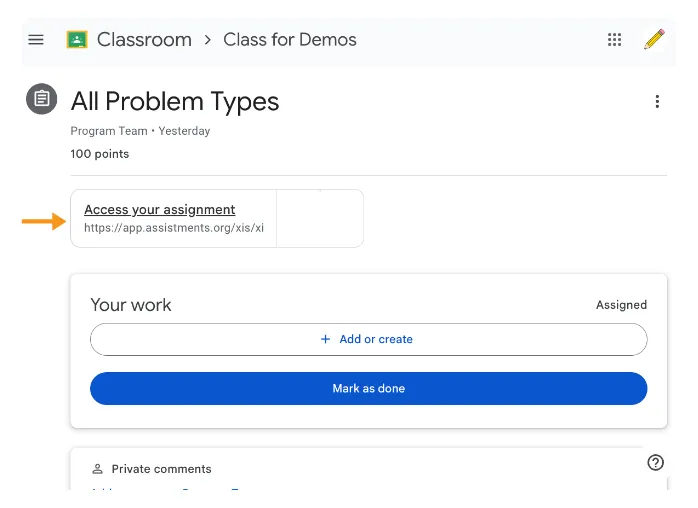
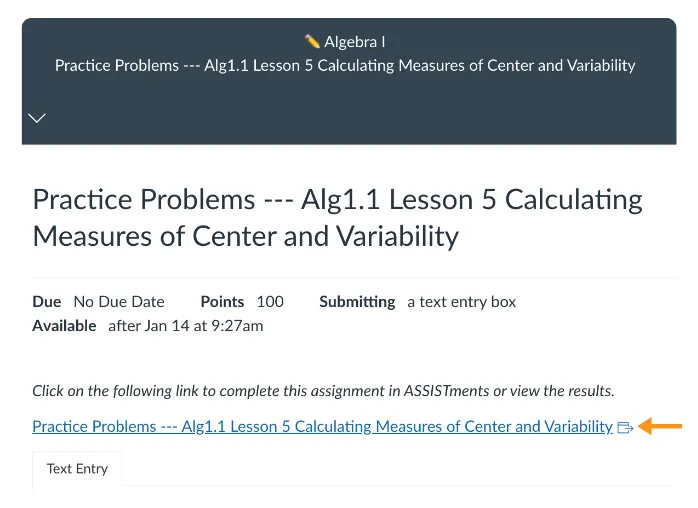
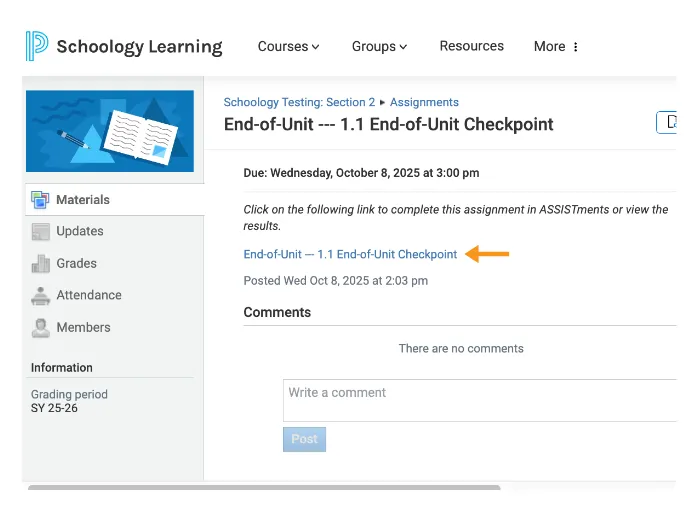
- Select the ASSISTments Assignment your teacher assigned.
- Google Classroom
- Canvas
- Schoology
Allowing Access
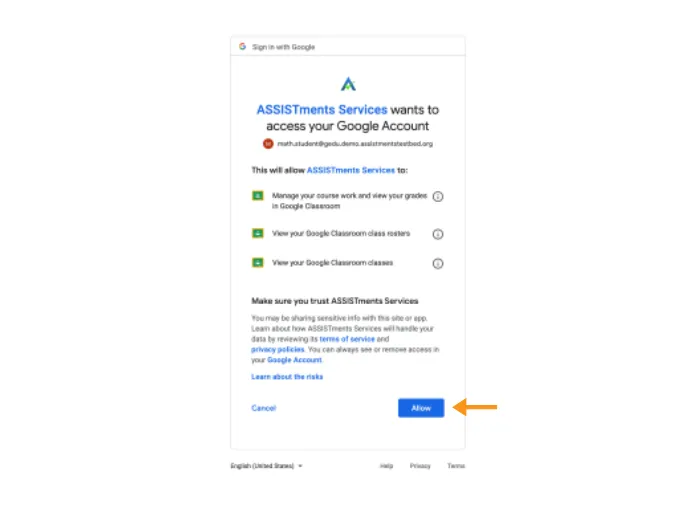
You will be asked to allow ASSISTments to connect to your learning management system.
- You will only see the screen that matches your learning management system (Google Classroom, Canvas, Schoology).
- Depending on your system, you may see one of the following screens.
- Follow the on-screen steps to continue.
Google Classroom
- Select Allow to continue.
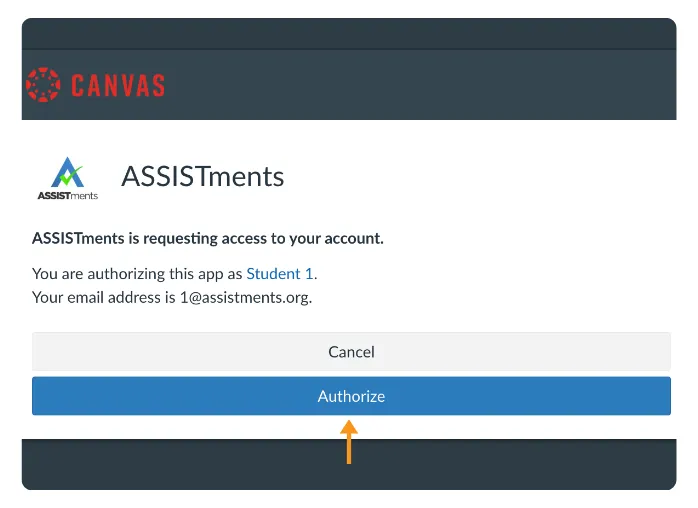
Canvas
- Select Authorize
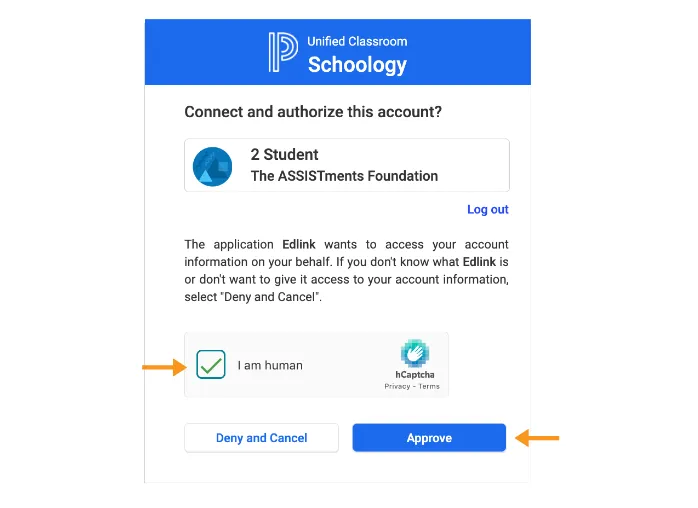
Schoology
- Select the checkbox for I am human
- Click Approve
Creating Your Account
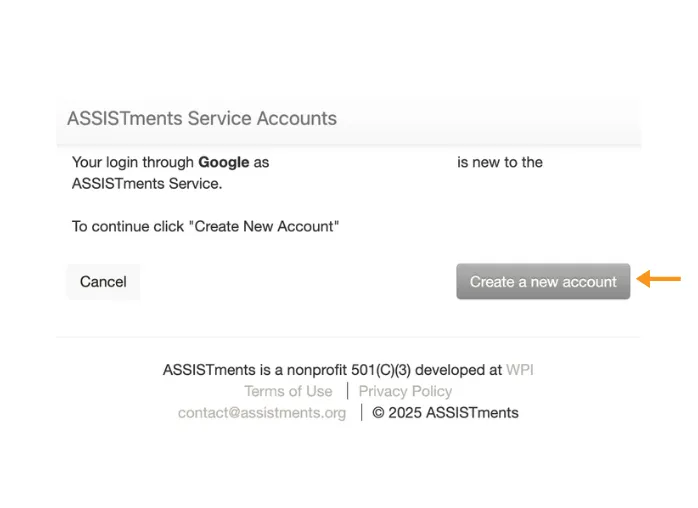
Select Create a new Account to access your ASSISTments Assignment.
Next Steps
After you access an ASSISTments Assignment for the first time, you can use the Student Home Page to find and open all ASSISTments Assignments.
To go to the Student Home Page:
- Select the ASSISTments logo in the top-left corner.
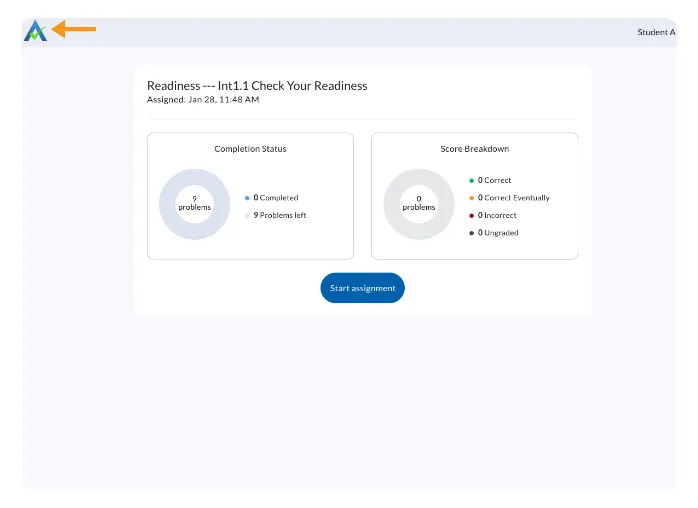
This will take you to your My Assignments page.
To learn more, see Using the ASSISTments Student Home Page.
Getting Help
If you receive an error or cannot continue:
- Stop and do not try to fix the issue on your own.
- Notify your teacher.
Your teacher will check your information and contact ASSISTments support if needed.
Accessing an ASSISTments Assignment for the First Time
Signing In for the First Time
For first-time access, start in your learning management system, such as Google Classroom, Canvas, or Schoology.
- Open your learning management system (Google Classroom, Canvas, Schoology)
- Select the ASSISTments Assignment your teacher assigned.
- Google Classroom
- Canvas
- Schoology
Allowing Access
You will be asked to allow ASSISTments to connect to your learning management system.
- You will only see the screen that matches your learning management system (Google Classroom, Canvas, Schoology).
- Depending on your system, you may see one of the following screens.
- Follow the on-screen steps to continue.
Google Classroom
- Select Allow to continue.
Canvas
- Select Authorize
Schoology
- Select the checkbox for I am human
- Click Approve
Creating Your Account
Select Create a new Account to access your ASSISTments Assignment.
Next Steps
After you access an ASSISTments Assignment for the first time, you can use the Student Home Page to find and open all ASSISTments Assignments.
To go to the Student Home Page:
- Select the ASSISTments logo in the top-left corner.
This will take you to your My Assignments page.
To learn more, see Using the ASSISTments Student Home Page.
Getting Help
If you receive an error or cannot continue:
- Stop and do not try to fix the issue on your own.
- Notify your teacher.
Your teacher will check your information and contact ASSISTments support if needed.
Didn't Find What You Were Looking For?
.avif)
Charitable Number: 83-4228740


