


Skill Builders
Overview of Skill Builders
Skill Builders are practice problems created by ASSISTments that target specific Common Core standards broken down by skills. Teachers can use Skill Builders to provide students mastery-based practice.
The primary reason for using Skill Builders is to determine if students have mastered a particular Common Core standard (usually a procedural skill) by seeing if they can answer three questions in a row correctly. They are a helpful supplement to your core curriculum, and quick and easy to assign!
This guide explains how to assign Skill Builders and what students experience while working through them, including how progress is tracked and reinforced with motivational feedback.
How to Assign Skill Builders
- Log in to your ASSISTments teacher account.
- Navigating to the Skill Builders folder within our content library or utilizing our search by standards feature
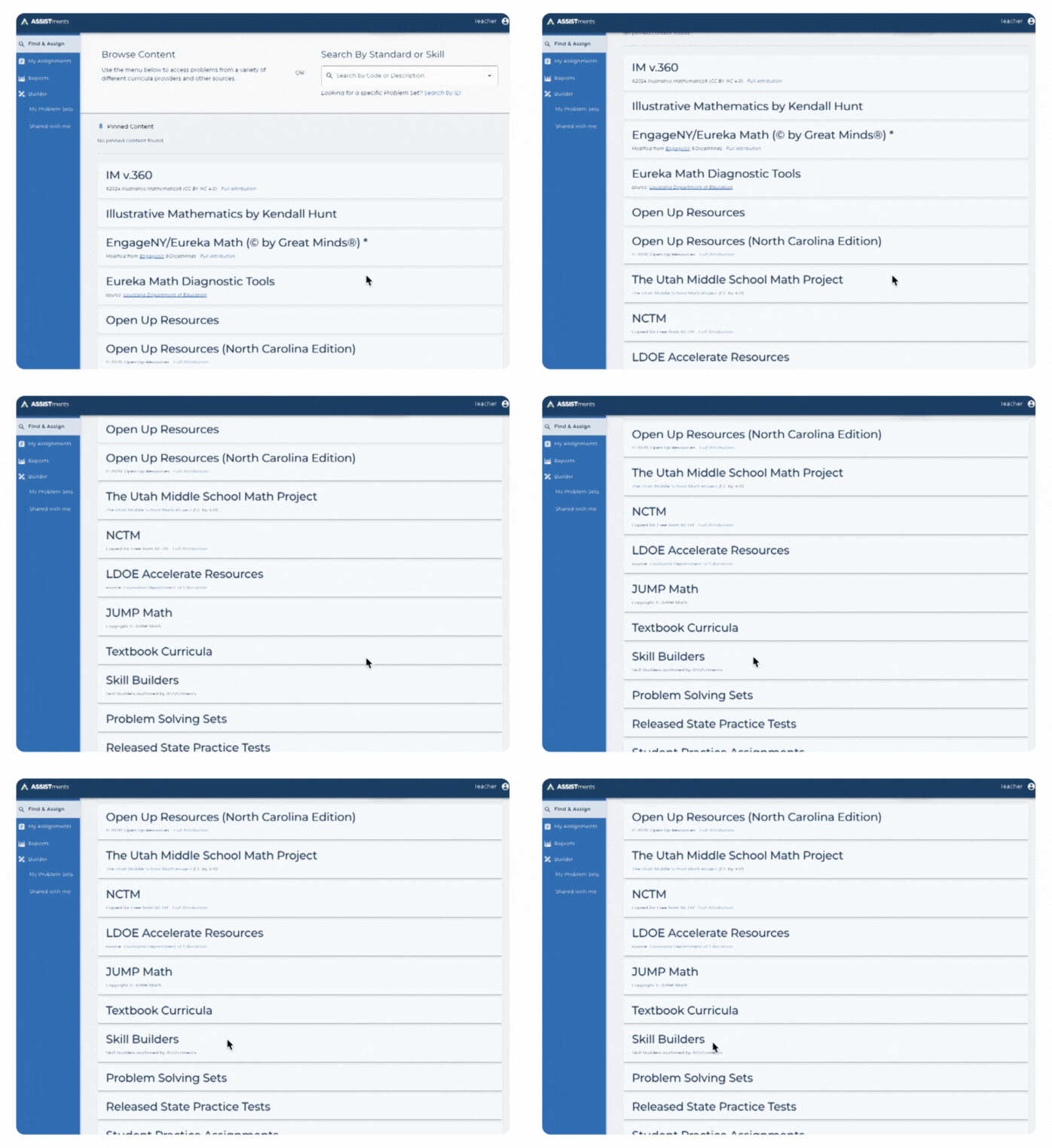
Note: Students will receive a random set of problems targeting the standard you (the teacher) selected.
- Open Skill Builder and click "Assign to Class".
- Choose your class, set a due date, and click "Assign" again to confirm.
Skill Builders Student Experience
- Students begin with empty stars in the top right corner of their screen.
- For each correct answer, a star is filled in.
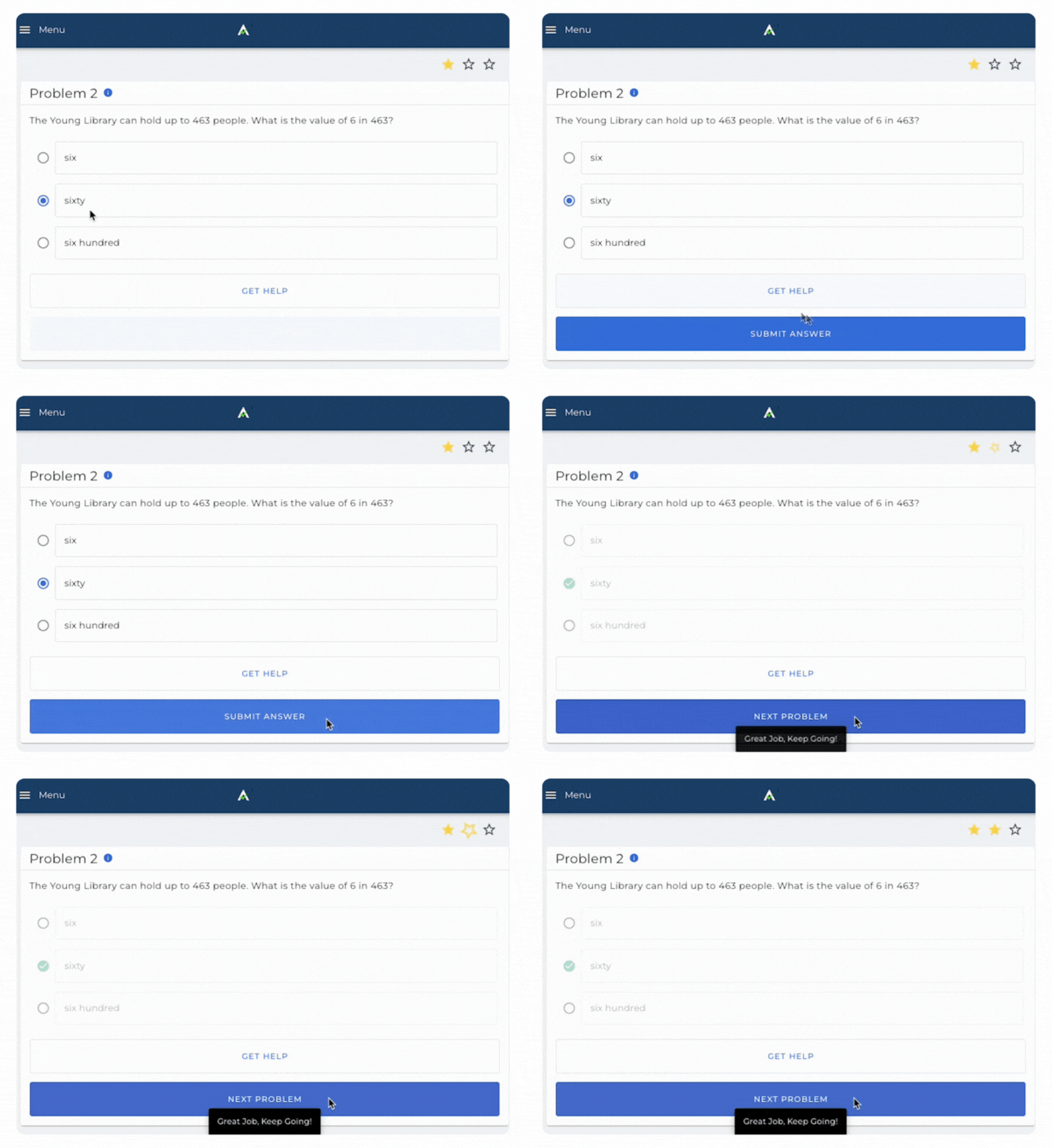
- If a student answers incorrectly or uses a hint, the stars explode and reset to zero.
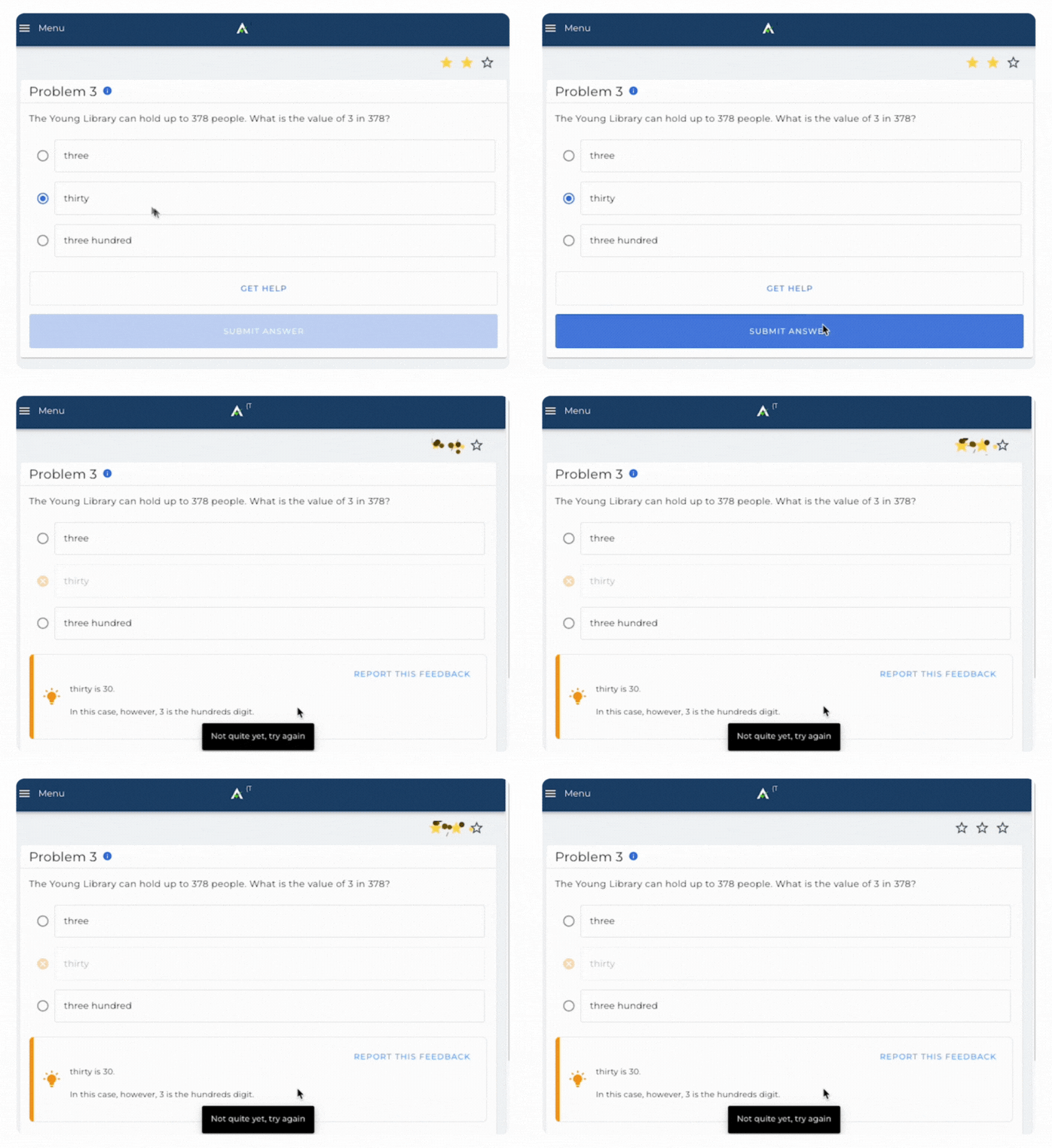
- The goal: earn three stars in a row to demonstrate mastery.

- If a student does not get three stars in a row within 10 questions, a limit message appears, giving teachers time to intervene or reset progress as needed.
Skill Builders Report
Teachers will get actionable mastery data to support students. See our skill builders report resource for more details.
Here is a blog post from one of our ASSISTments Ambassadors, Mike Tarka, on how he uses Skillbuilders.
Overview of Skill Builders
Skill Builders are practice problems created by ASSISTments that target specific Common Core standards broken down by skills. Teachers can use Skill Builders to provide students mastery-based practice.
The primary reason for using Skill Builders is to determine if students have mastered a particular Common Core standard (usually a procedural skill) by seeing if they can answer three questions in a row correctly. They are a helpful supplement to your core curriculum, and quick and easy to assign!
This guide explains how to assign Skill Builders and what students experience while working through them, including how progress is tracked and reinforced with motivational feedback.
How to Assign Skill Builders
- Log in to your ASSISTments teacher account.
- Navigating to the Skill Builders folder within our content library or utilizing our search by standards feature
Note: Students will receive a random set of problems targeting the standard you (the teacher) selected.
- Open Skill Builder and click "Assign to Class".
- Choose your class, set a due date, and click "Assign" again to confirm.
Skill Builders Student Experience
- Students begin with empty stars in the top right corner of their screen.
- For each correct answer, a star is filled in.
- If a student answers incorrectly or uses a hint, the stars explode and reset to zero.
- The goal: earn three stars in a row to demonstrate mastery.
- If a student does not get three stars in a row within 10 questions, a limit message appears, giving teachers time to intervene or reset progress as needed.
Skill Builders Report
Teachers will get actionable mastery data to support students. See our skill builders report resource for more details.
Here is a blog post from one of our ASSISTments Ambassadors, Mike Tarka, on how he uses Skillbuilders.
Didn't Find What You Were Looking For?
.avif)
Charitable Number: 83-4228740


