

Quick Insights Plus: Assignments Plus
Quick Insights Plus
⭐️ ASSISTments Plus Feature
This feature is available exclusively with ASSISTments Plus for Schools & Districts. Learn more here.
Quick Insights Plus uses AI to analyze assignment results and highlight Key Trends, Students to Note, and Learning Gaps. Teachers can use these insights after an assignment to quickly understand what may need attention before planning next steps.
Accessing Quick Insights Plus
From the Assignment List, select an assignment. The Quick Insights tab opens automatically.
%20(5).gif)
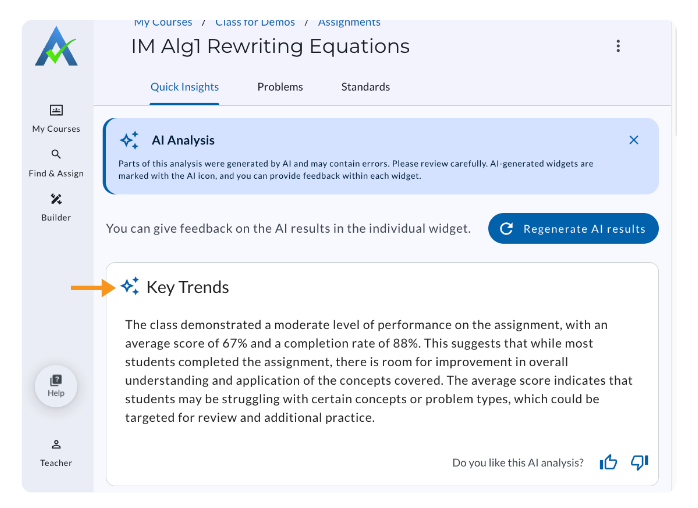
Key Trends
Key Trends provides high-level trends identified from assignment data.
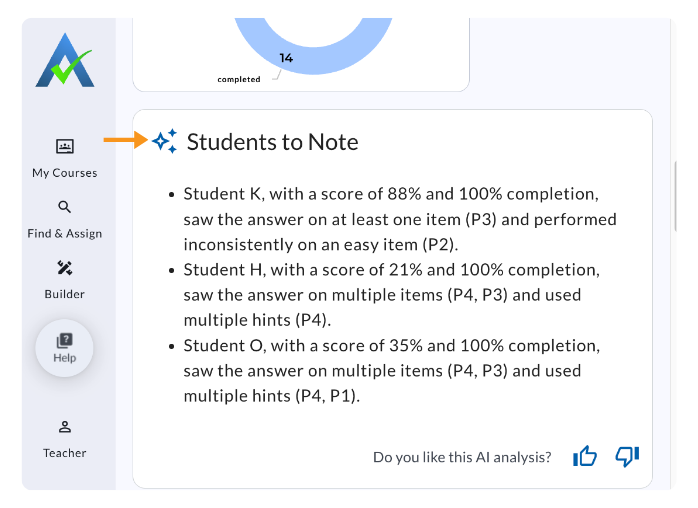
Students to Note
Students to Note provides insights about students who may be struggling on the assignment, using a high number of hints, or frequently asking for the answer.
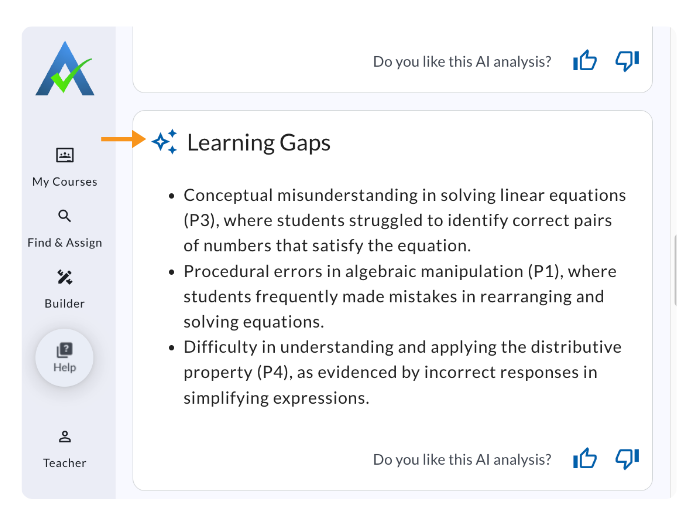
Learning Gaps
Learning Gaps identifies problems students struggled with and provides insight into possible misconceptions.
Providing Feedback on AI Assignment Analysis
ASSISTments Plus Users will see an AI Analysis Message at the tops of the Quick Insights tab. Select X to close the message.
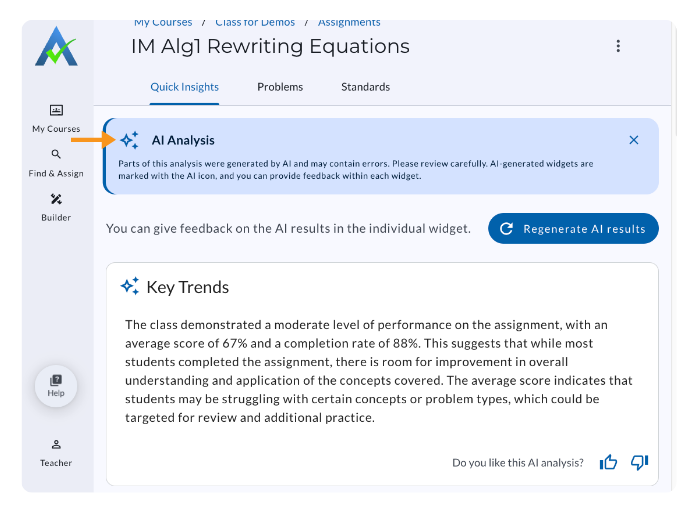
Each widget includes Thumbs Up and Thumbs Down buttons that teachers can use to provide feedback on a specific insight.
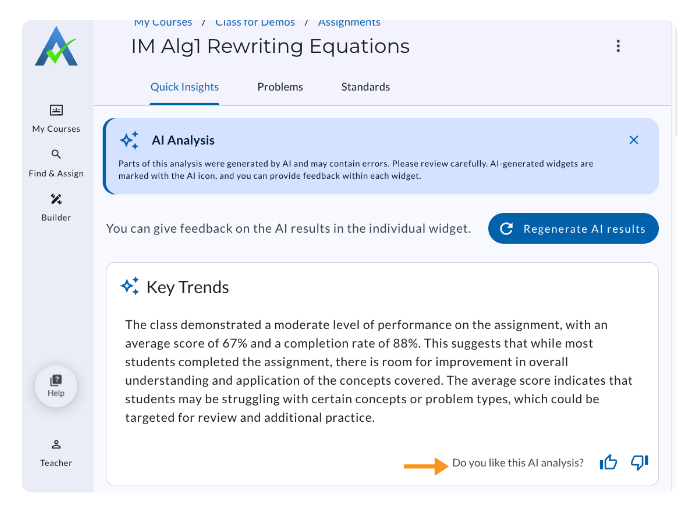
When Thumbs Down is selected, teachers will have the option to provide additional feedback through the AI Results Feedback Form.
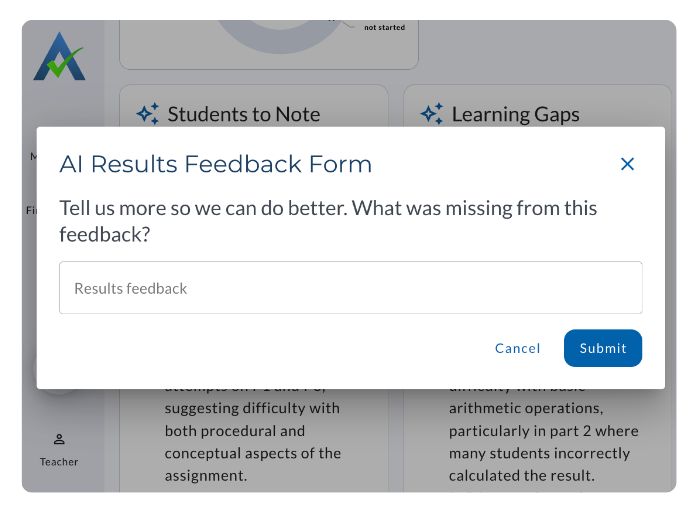
Quick Insights Plus
⭐️ ASSISTments Plus Feature
This feature is available exclusively with ASSISTments Plus for Schools & Districts. Learn more here.
Quick Insights Plus uses AI to analyze assignment results and highlight Key Trends, Students to Note, and Learning Gaps. Teachers can use these insights after an assignment to quickly understand what may need attention before planning next steps.
Accessing Quick Insights Plus
From the Assignment List, select an assignment. The Quick Insights tab opens automatically.
Key Trends
Key Trends provides high-level trends identified from assignment data.
Students to Note
Students to Note provides insights about students who may be struggling on the assignment, using a high number of hints, or frequently asking for the answer.
Learning Gaps
Learning Gaps identifies problems students struggled with and provides insight into possible misconceptions.
Providing Feedback on AI Assignment Analysis
ASSISTments Plus Users will see an AI Analysis Message at the tops of the Quick Insights tab. Select X to close the message.
Each widget includes Thumbs Up and Thumbs Down buttons that teachers can use to provide feedback on a specific insight.
When Thumbs Down is selected, teachers will have the option to provide additional feedback through the AI Results Feedback Form.
Didn't Find What You Were Looking For?
.avif)
Charitable Number: 83-4228740


